Samsung Tizen TV app development
Samsung is the largest Smart TV installed base in most markets, and its apps are web applications: HTML, CSS and JavaScript packaged for Tizen. That makes the entry barrier low and the long tail difficult, because a Samsung app has to keep working on television sets that shipped many years ago with browser engines to match.
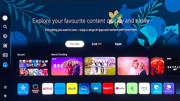
- Technology
- HTML / CSS / JavaScript
- Tooling
- Tizen Studio, Tizen CLI
- Player
- AVPlay API
- Store
- Samsung TV App Store
- Billing
- Samsung Checkout
- DRM
- PlayReady, Widevine
A web app, with television constraints
A Tizen app is web code packaged into a .wgt archive and installed on the TV, so the familiar toolchain applies - but the runtime does not behave like a desktop browser. Older model years ship correspondingly older engines, so modern JavaScript and CSS need transpiling and polyfilling, and heavy frameworks are a genuine performance risk on hardware with a fraction of a phone's memory.
Navigation is remote-driven and handled through key events, with each key mapped to a numeric code. Focus management is entirely the app's responsibility: there is no browser focus model that does the right thing on a D-pad, so a spatial navigation layer is one of the first things any serious Tizen app needs.
Playback through AVPlay
Tizen supports the standard HTML5 video element with Media Source Extensions and Encrypted Media Extensions, so browser players such as Shaka Player, dash.js and hls.js do run on Samsung sets. Samsung nevertheless recommends its own AVPlay API for adaptive streaming, DRM, 4K and advanced subtitle formats, because it drives the hardware pipeline directly and behaves more consistently across model years. AVPlay is Samsung-specific, which is the main reason a webOS app and a Tizen app share design and business logic but not their player layer.
PlayReady is the primary DRM on Samsung televisions, with Widevine Modular available through EME on models from Tizen 2.4 onwards. Because both the player and DRM support vary by model year, the practical approach is to define the oldest model year you intend to support and test against it, rather than assuming current behaviour applies to the whole installed base.
Certification and distribution
Apps are submitted through Samsung Seller Office (the Samsung TV Seller Portal) and reviewed against Samsung's own requirements, including behaviour on the remote keys, memory use, and correct handling of the app lifecycle when the viewer switches inputs or the TV sleeps. Subscriptions sold in the app run through Samsung Checkout.
Because a released app has to keep running on a wide spread of firmware, Samsung projects benefit more than most from a defined device test matrix - a handful of real sets covering the oldest, middle and newest supported model years.
Frequently asked questions
- Which Samsung TV model years can be supported?
- That is a project decision rather than a fixed limit. Supporting older model years is entirely possible, it just widens the compatibility work and the test matrix, so it is worth deciding the cut-off from your own audience data.
- Can the same code run on LG webOS?
- Substantially, yes. Both are web platforms, so UI, state and business logic can be shared; the player layer, DRM integration, store APIs and packaging differ and are kept behind a platform abstraction.
- Should we use AVPlay or a standard HTML5 video element?
- Both work. The HTML5 element with MSE and EME is supported and lets you reuse a browser player, but Samsung recommends AVPlay for adaptive streaming, DRM and 4K because it drives the hardware decoder directly and is the more predictable option across older model years.