LG webOS TV app development
LG televisions run webOS, and like Samsung they take web applications rather than native binaries. The two platforms are close enough that a shared codebase is realistic, and different enough - player API, store, remote - that the differences need to be designed for rather than discovered late.
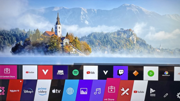
- Technology
- HTML / CSS / JavaScript
- Tooling
- webOS TV SDK, ares CLI
- Platform APIs
- Luna service bus
- Store
- LG Content Store
- DRM
- PlayReady, Widevine
- Input
- Magic Remote pointer + D-pad
The webOS toolchain
Development uses the webOS TV SDK with the ares command-line tools for packaging, installing and debugging on a real television over the network. Platform capabilities - device information, network state, DRM, system settings - are reached through Luna service calls rather than browser APIs.
As on Tizen, the engine behind the app tracks the model year, so the supported range has to be an explicit decision that drives the build targets and the test devices. Sharing a codebase with a Samsung app works well when the platform-specific parts are isolated behind a thin abstraction from the beginning.
The Magic Remote changes the UX
LG is the one living-room platform with a pointer. The Magic Remote works as a motion-controlled cursor as well as a conventional D-pad, and viewers use both, sometimes within the same session. An interface designed purely for directional focus feels broken when a pointer appears over it, and one designed purely for pointing is unusable with the D-pad.
That means hover and focus states have to be coherent, targets have to be large enough to hit with a wobbling cursor, and every pointer action needs a directional equivalent. It is the most common source of avoidable UX problems in webOS projects.
Playback and publishing
webOS supports adaptive streaming with PlayReady and Widevine, with DRM configured through the platform media APIs. As with any TV platform, the exact codec and DRM support depends on the model, so the supported-device decision drives what the encoding ladder has to include.
Apps are submitted through LG Seller Lounge and, after review, published to the LG Content Store. Store metadata, artwork specifications and lifecycle behaviour - what happens when the viewer switches input or the set goes to standby - are the usual review points.
Frequently asked questions
- Can one codebase serve both LG and Samsung?
- Largely. Both take web applications, so UI, navigation and business logic are shared; the media player, DRM, store integration and packaging are platform-specific and kept behind an abstraction layer.
- Do we have to support the Magic Remote pointer?
- In practice yes. Viewers use it, and an app that only handles directional focus behaves oddly when the cursor appears. Supporting both input modes is a design requirement rather than an extra.
- How is the app tested on a real television?
- The ares CLI installs and launches the app on a TV in developer mode over the local network, with remote debugging attached - which is essential, because emulator behaviour and real hardware differ, particularly around playback.