Android TV and Google TV app development
Android TV is the broadest of the living-room platforms: the same app runs on Google TV streamers, television sets from Sony, Philips, TCL and others, and on operator set-top boxes. It is also the most familiar to build for, because it is ordinary Android development with television-specific interaction rules layered on top.
- Language
- Kotlin / Java
- UI
- Compose for TV, Leanback
- Player
- Media3 / ExoPlayer
- Store
- Google Play
- Billing
- Google Play Billing
- DRM
- Widevine L1 / L3
Building for the ten-foot interface
The technical stack is standard Android - Kotlin, Compose for TV or the older Leanback library - but the interaction model is not. Everything is driven by a D-pad, so every element has to be reachable, focus has to be visible from across a room, and focus order has to be predictable in two dimensions. Touch-oriented patterns such as scrollable overlays and small tap targets simply do not translate.
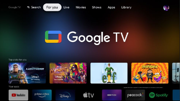
Google TV adds a recommendation layer on top of Android TV: the home screen surfaces content from installed apps through channels and Watch Next. Publishing into those rows is one of the few genuinely effective discovery mechanisms on the platform, and it is worth building in from the start rather than adding later.
Playback with Media3 and ExoPlayer
ExoPlayer, now part of Media3, is the reference player: it handles HLS and DASH, adaptive bitrate switching, subtitles and DRM through the Android MediaDrm APIs. Because it is a library rather than a platform component, playback behaviour is consistent across devices and you can update it independently of the OS - a real advantage over platforms where the player is fixed by firmware.
DRM on Android is where device fragmentation shows. Widevine L1 means keys are handled in hardware and HD or UHD playback is permitted; L3 is software-backed and usually capped to standard definition by licence policy. The security level is a property of the device, so a certified TV and a cheap streaming box will behave differently on the same stream - something to establish during device testing rather than after launch.
Store, billing and device coverage
Distribution runs through Google Play with a TV-specific review against the Play TV app quality guidelines, covering banner artwork, D-pad completeness, playback behaviour and launcher integration. Subscriptions inside the app go through Google Play Billing.
The operator tier is worth knowing about: network operators ship customised Android TV set-top boxes where the launcher and app lineup are controlled by the operator rather than Google. If your distribution plan includes a telco, that is a different integration path from the public Play Store.
Frequently asked questions
- Is a Google TV app different from an Android TV app?
- It is the same app. Google TV is the newer interface layer on top of Android TV, with more emphasis on cross-app recommendations, so the difference is in launcher integration rather than in the codebase.
- Will the same app run on Amazon Fire TV?
- Fire OS is Android-based, so much of the code is reusable, but Fire TV uses the Amazon Appstore, Amazon in-app purchase and Amazon-specific APIs instead of Google Play services. Expect a shared core with a separate build and store integration.
- Why does HD playback fail on some devices?
- Almost always Widevine security level. Devices limited to L3 are commonly capped to standard definition by DRM licence policy, which is enforced by the licence server rather than by the app.